Business Value
Users will now receive a warning message when trying to add an attachment to a blank journal line.
Feature Details
Users can assign attachments to individual journal lines by highlighting a row and selecting Line >> Attachments.
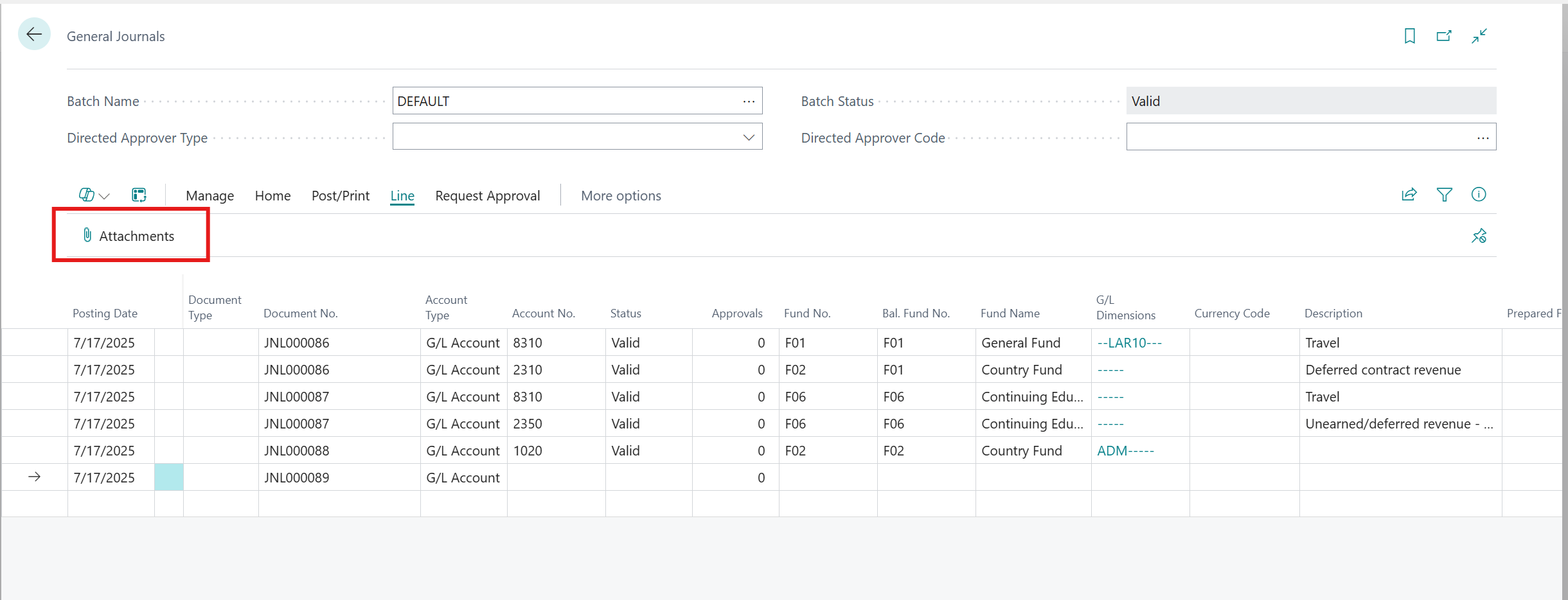
If a user accidentally started a new row, no attachment would be assigned and there would be no warning message. Now users will receive the following warning message when clicking Select File from the Attached Documents page.
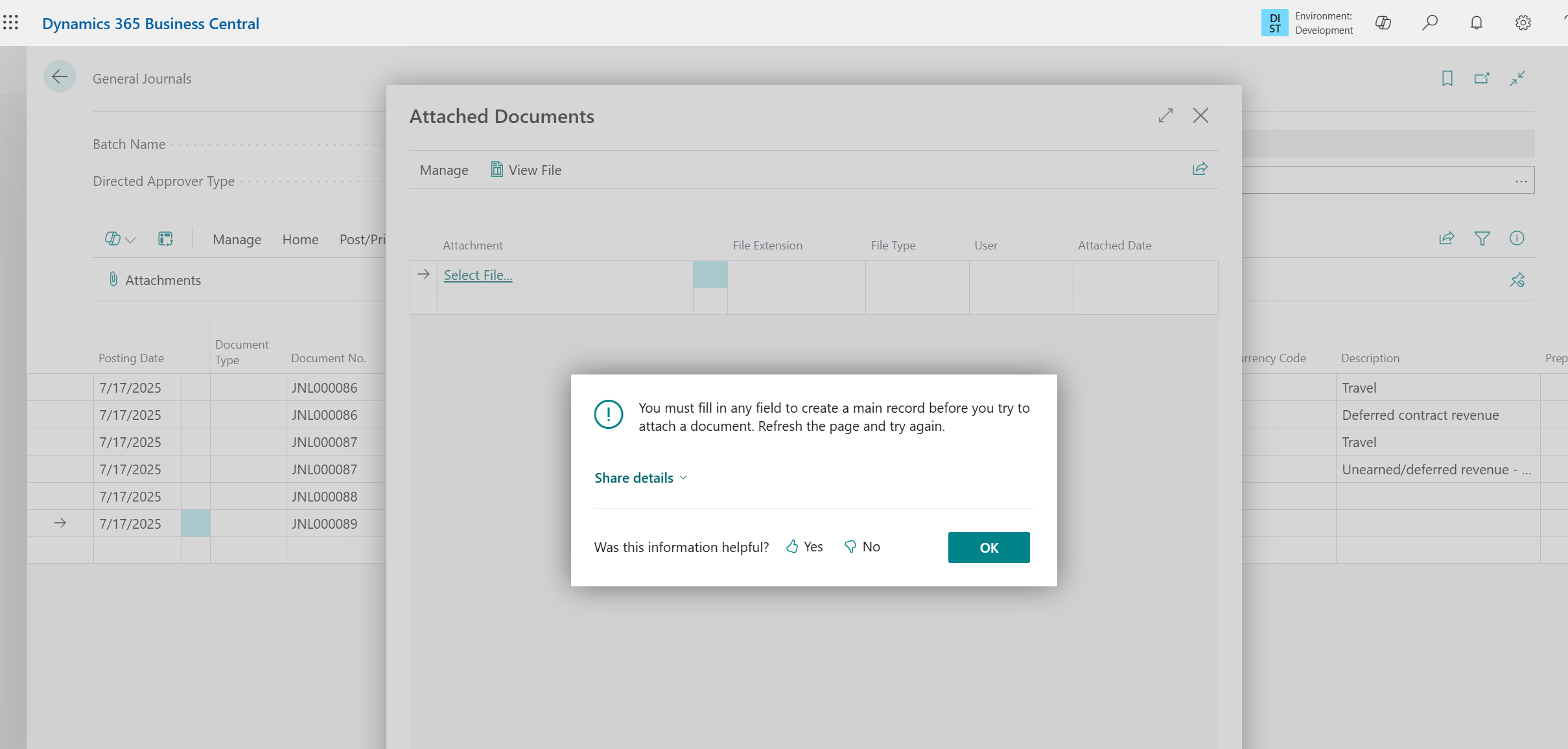
Users will receive the same warning when using the attach action from the Attachments FactBox.
Was this article helpful?
That’s Great!
Thank you for your feedback
Sorry! We couldn't be helpful
Thank you for your feedback
Feedback sent
We appreciate your effort and will try to fix the article